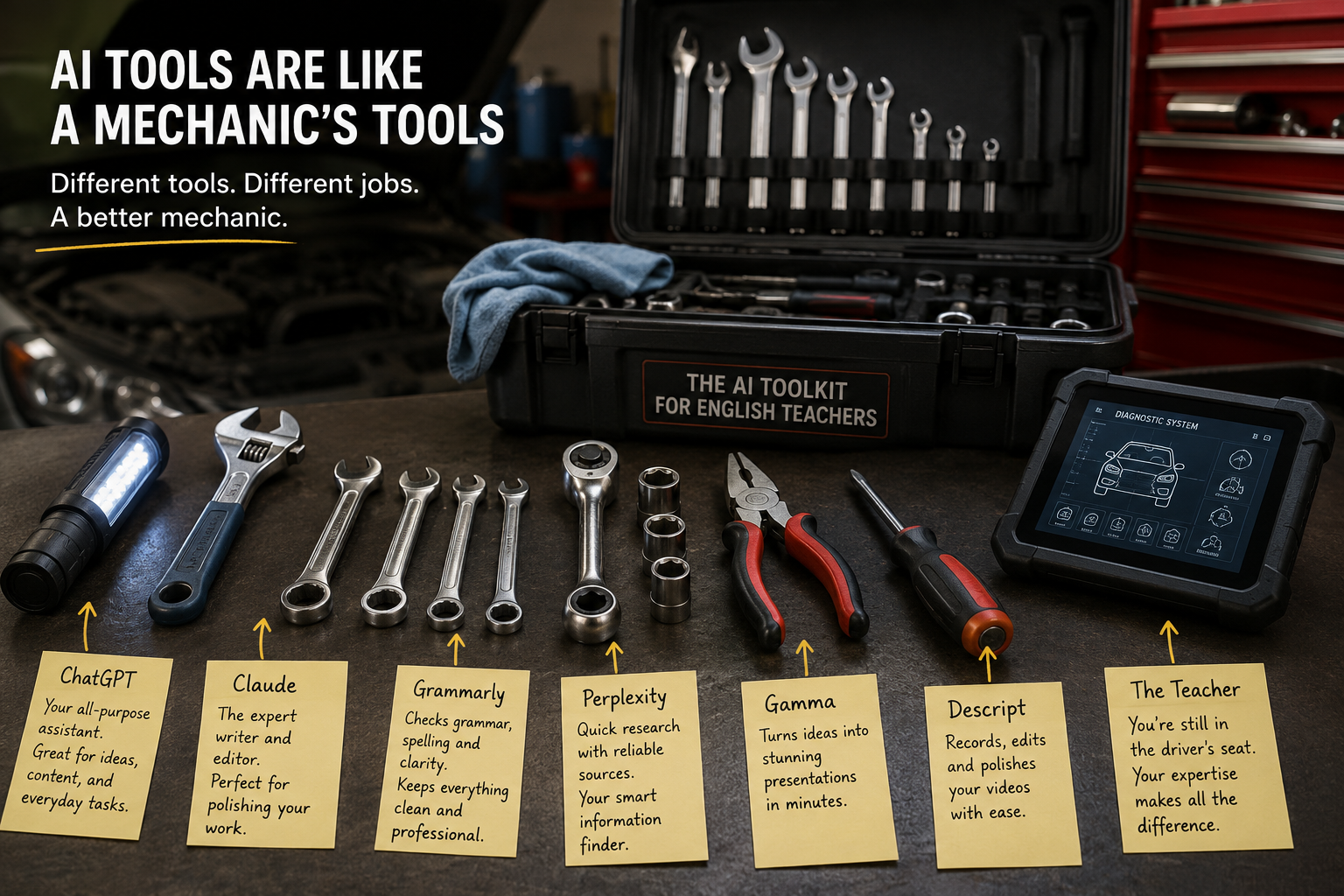
If you had told me two years ago that I would happily pay for artificial intelligence tools every month, I would probably have laughed and gone back to making yet another grammar worksheet from scratch.
Like many English teachers, I approached AI with a healthy dose of scepticism.
I was curious, of course. Everyone seemed to be talking about ChatGPT, but I assumed it was another educational trend that would generate a great deal of excitement before quietly disappearing. For almost a year, I relied almost exclusively on the free version of ChatGPT. I occasionally asked it to create a vocabulary exercise or generate a few discussion questions, but I treated it more like an amusing assistant than a serious professional tool.
Then something dawned on me. Artificial intelligence was not going away. Students were using it. Teachers were using it. Businesses were using it. Universities were discussing it.
Instead of resisting the technology, perhaps I should learn how to use it properly. More importantly, I realised that if I ignored AI altogether, I would eventually fall behind teachers who had embraced it and learned to use it intelligently.
I still believe that AI will not replace good English teachers.
I am equally convinced that teachers who know how to use AI effectively may have a significant advantage over those who refuse to engage with it.
My own turning point came while creating my Udemy course for TOEFL teachers.
The project that changed my mind
Creating an online Udemy course is a surprisingly demanding process.
You need to plan the curriculum, write scripts, create slides, record videos, edit mistakes, organise materials, and somehow keep everything coherent while maintaining your sanity.
A few years ago, that process would probably have taken me months.
This time, I decided to experiment.
ChatGPT Plus became my brainstorming partner and research assistant. It helped me organise lectures, generate examples, refine explanations, and spot gaps in the course structure.
Gamma transformed rough notes into attractive presentations that looked far more professional than anything I could have created manually in the same amount of time.
Descript made video recording and editing significantly easier. Instead of worrying about every tiny mistake during recording, I could edit much more efficiently afterwards.
The experience completely changed my perspective.
AI was not doing my job for me.
I was still planning the course, making pedagogical decisions, recording the videos, and sharing my teaching experience.
AI simply removed many repetitive and time-consuming tasks. Since then, I have gradually built my own AI toolkit. Some subscriptions have proved invaluable. Others looked exciting but turned out to be unnecessary. Here are the tools I actually use and what I think English teachers can realistically expect from them.
If I could keep only one AI subscription, the decision would not take very long.
It would be ChatGPT Plus.
I use it before lessons, during lesson planning, after lessons, while writing blog articles, creating resources, and developing new teaching ideas.
The paid version is significantly more capable than the free version, especially for complex educational tasks. Here are some practical ways I use it.
Creating differentiated materials
Suppose I have a newspaper article.
I can ask ChatGPT to produce:
- an A2 version / a B1 version / a B2 version;
- discussion questions;
- vocabulary exercises;
- grammar activities.
Instead of spending an hour adapting materials manually, I can focus on improving and personalising the output.
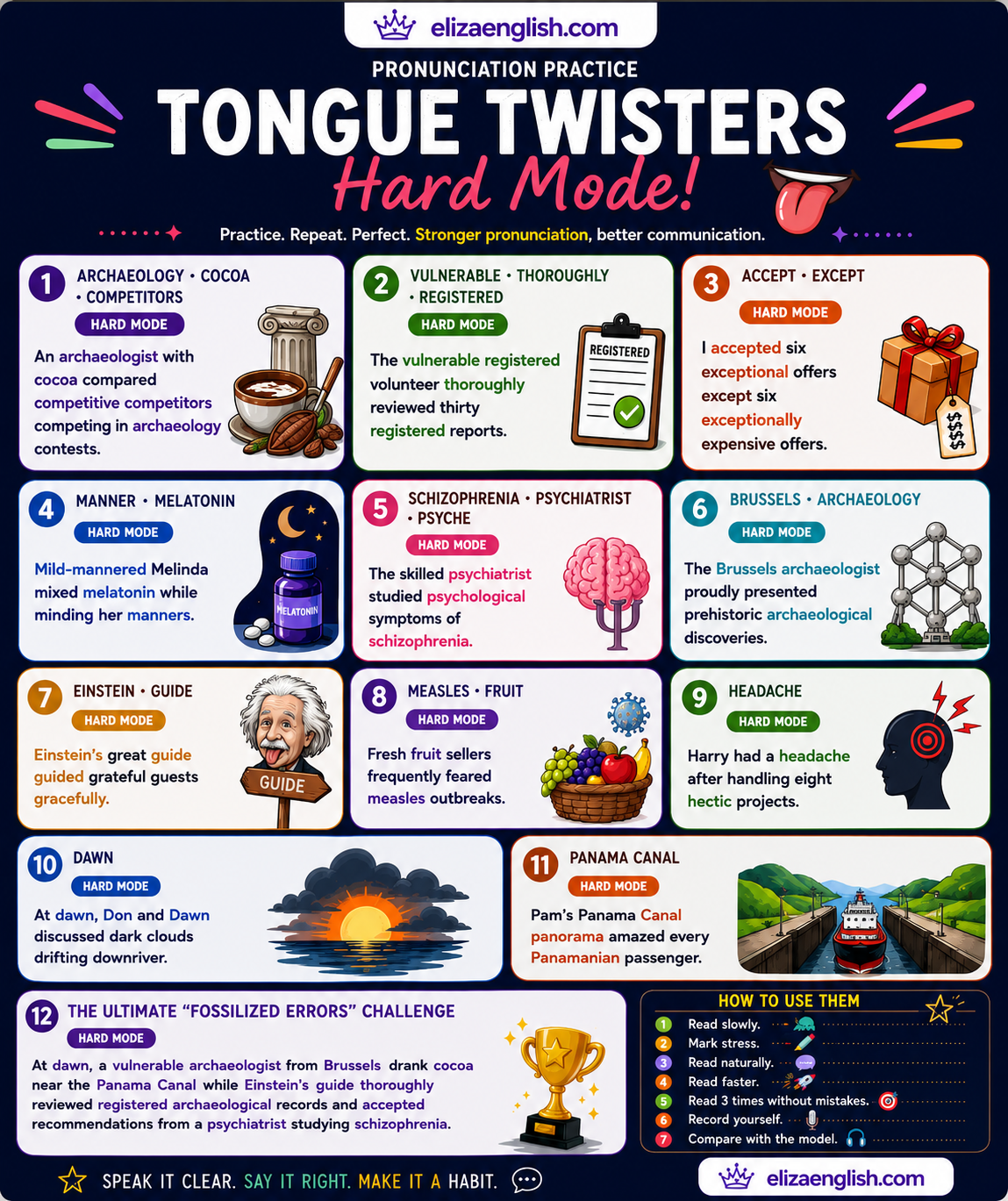
Building homework from classroom mistakes
This may be one of my favourite uses.
After a lesson, I can paste common student mistakes into ChatGPT and ask it to create:
- correction exercises;
- pronunciation drills;
- gap fills;
- multiple choice questions;
- sentence transformations;
- short writing tasks.
The homework becomes highly personalised because it reflects the actual difficulties my students experienced.
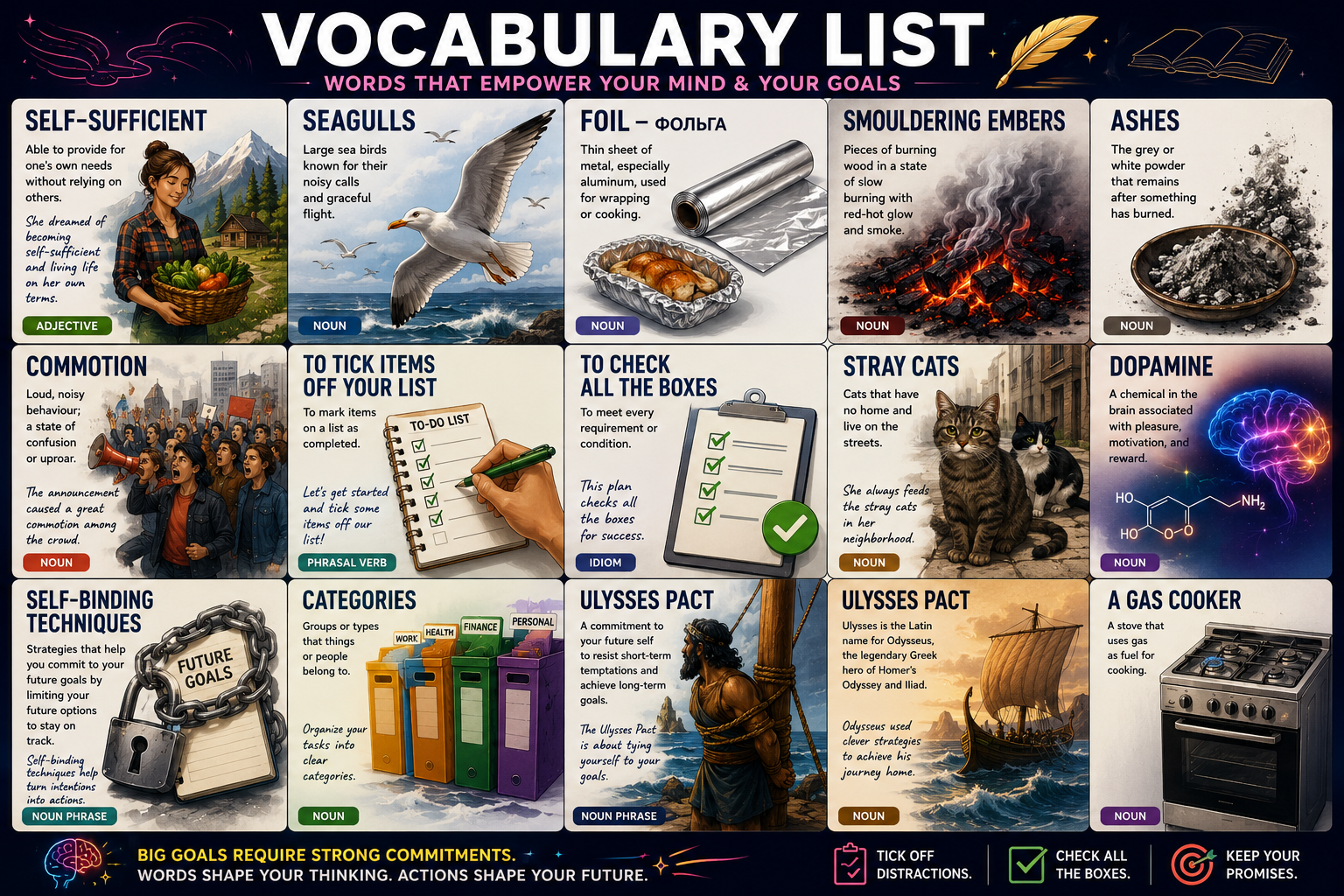
Creating vocabulary lists
After teaching a lesson, I often ask ChatGPT to create:
- vocabulary lists;
- definitions;
- collocations;
- example sentences;
- revision quizzes;
- speaking questions.
Students appreciate having organised revision materials instead of random notes.
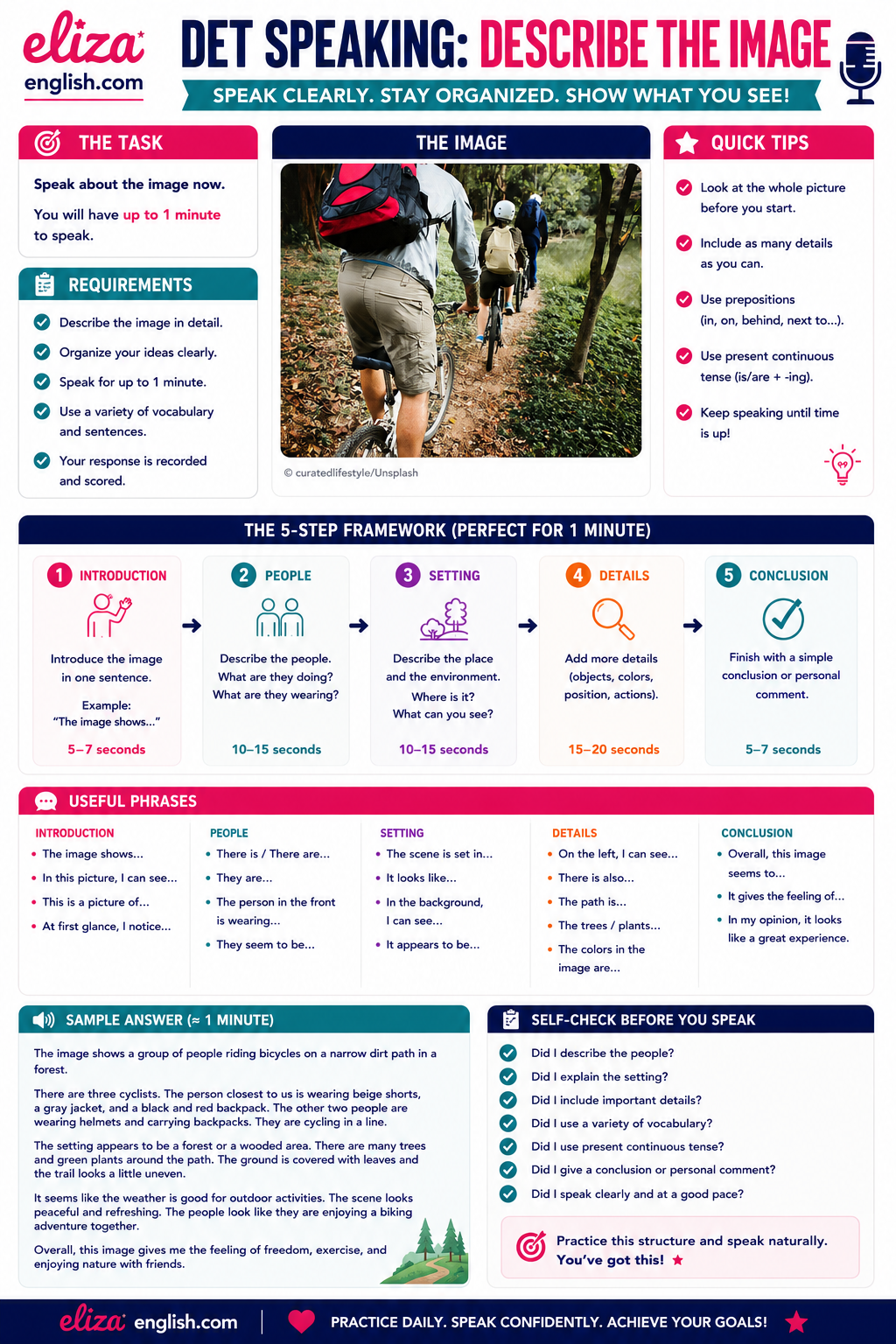
Exam preparation
For teachers working with DET, TOEFL, IELTS or Cambridge exams, ChatGPT can generate:
- speaking questions;
- writing prompts;
- reading passages;
- listening transcripts;
- grammar revision;
- vocabulary exercises;
- mock tests.
It should not replace official materials, but it can produce an endless supply of supplementary practice.
Lesson planning
Sometimes inspiration simply refuses to cooperate.
ChatGPT can suggest:
- warm-up activities;
- pair work;
- role plays;
- debate topics;
- project ideas;
- extension activities.
Not every suggestion is brilliant, but many provide an excellent starting point.
One important observation deserves mentioning.
The quality of the output depends heavily on the quality of your instructions.
Ironically, good communication skills make ChatGPT more useful.
Perhaps Andrej Karpathy was onto something after all.
Claude: the better writer?
The question I receive most often is simple. Should English teachers choose ChatGPT or Claude? My answer may disappoint technology enthusiasts. Ideally, both.
They are similar enough to overlap but different enough to complement one another.
If ChatGPT feels like an energetic teaching assistant who can tackle almost anything, Claude often feels like an experienced editor with excellent judgement. I particularly like Claude for longer writing tasks.
For example:
- blog articles;
- worksheets;
- course materials;
- reading texts;
- detailed feedback;
- rewriting existing resources.
Claude often produces more natural and elegant prose. Its explanations can feel slightly calmer and more thoughtful, particularly when editing or refining educational content.
When I write substantial articles for my blog, I occasionally compare the outputs of both systems. ChatGPT usually wins for brainstorming and generating multiple ideas. Claude often wins when polishing and improving the final version. Are they interchangeable? Partly. Could I survive with only ChatGPT? Absolutely. Would I happily use Claude as a second opinion for important projects? Without hesitation. For English teachers who write a lot of original content, Claude deserves serious consideration.
ElevenLabs: the listening material machine
Creating listening resources used to be frustrating. Finding suitable recordings could take ages, and recording my own audio was often time-consuming. ElevenLabs changed that. The platform creates remarkably natural speech with different voices and accents.
English teachers can use it for:
- listening exercises;
- podcasts;
- dialogues;
- exam preparation;
- pronunciation practice;
- storytelling activities.
Teachers preparing students for DET, TOEFL or IELTS may find it particularly useful because it allows the creation of custom listening materials targeting specific language points. I would not use AI voices to replace authentic listening entirely. I would absolutely use them to supplement existing materials.
Gamma: my presentation shortcut
Creating slides has never been my favourite activity. Gamma makes the process much easier. I used it extensively while creating my Udemy course. Instead of spending hours adjusting layouts and moving text boxes, I could focus on the content itself.
English teachers could use Gamma for:
- grammar presentations;
- vocabulary lessons;
- teacher workshops;
- webinars;
- student projects;
- online classes.
The slides almost always require some editing, but they provide an excellent foundation.
Descript: making video creation less painful
If you create educational videos, Descript deserves attention. Recording is one challenge. Editing is another. Descript simplifies many aspects of the process and makes it easier to produce polished educational content without advanced technical skills.
For teachers considering YouTube, Udemy, or online courses, this tool can save significant time.
A few honourable mentions
Several other AI tools deserve attention. NotebookLM is excellent for organising research and working with large collections of documents. Canva AI can speed up the creation of teaching visuals and worksheets. Grammarly remains useful for checking professional writing and polishing emails or educational materials. I do not use every AI tool on the market. Frankly, nobody has enough time for that. I prefer a small collection of reliable tools that fit naturally into my workflow.
A few words of caution
AI can save enormous amounts of time. It can also make mistakes.
Teachers should always check:
- factual accuracy;
- grammar explanations;
- cultural references;
- exam requirements;
- answer keys.
AI should support professional judgement rather than replace it. The best educational materials usually combine human experience with technological assistance.
After considerable experimentation, my own choices are surprisingly simple.
For everyday teaching:
ChatGPT Plus.
I use it constantly before, during, and after lessons for planning, exercises, vocabulary, homework, exam preparation, and brainstorming.
For writing and editing:
Claude.
I particularly appreciate its ability to polish longer texts and educational materials.
For listening materials:
ElevenLabs.
An excellent tool for creating custom audio resources.
For course creation:
Gamma and Descript.
These two transformed the process of building my Udemy course and saved an extraordinary amount of time.
Bottom Line
The net story is that my teaching has been transformed into augmented teaching with the help of AI tools. It has given me more time to focus on the parts of teaching that matter most. Building relationships with students, explaining difficult concepts, encouraging nervous learners, creating engaging lessons, celebrating progress.
Artificial intelligence can generate worksheets.
It can create quizzes.
It can help with presentations and listening materials.
What it cannot replace is the experience, empathy, and judgement that good teachers bring into the classroom every day. The goal is not to compete with AI. The goal is to let AI handle some of the repetitive work so that we can spend more time doing what we became teachers to do in the first place.
If, like me, you have been sitting on the sidelines wondering whether these tools are worth exploring, my advice is simple. Start small, experiment, stay curious. You may discover, as I did, that embracing AI does not make you less of a teacher.
It simply gives you a better toolkit.